Walkthrough
See how Truck SMS covers each part of the SMS Standard
The walkthrough follows the five areas of the SMS Standard 2026. For each one, it shows what you do in Truck SMS and what you can show an auditor. The screens come from a demo company, ABC Transport, which is fictional.
Area 1
Leadership and commitment
Management sets the safety policy, owns the procedures and shows that the people responsible are trained for their roles.
What you do in Truck SMS
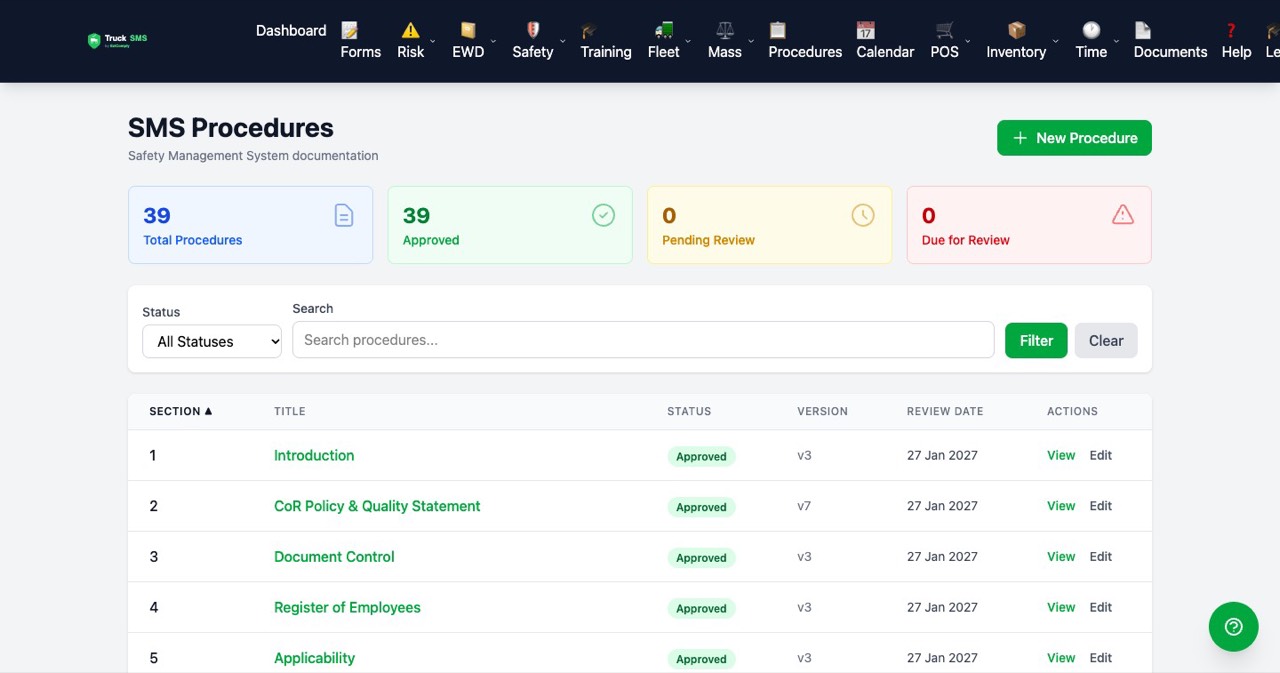
- Set up your SMS procedures for your operation, then approve them so they are live for your team.
- Each procedure has a matching training module, so the people who own a procedure are trained on it.
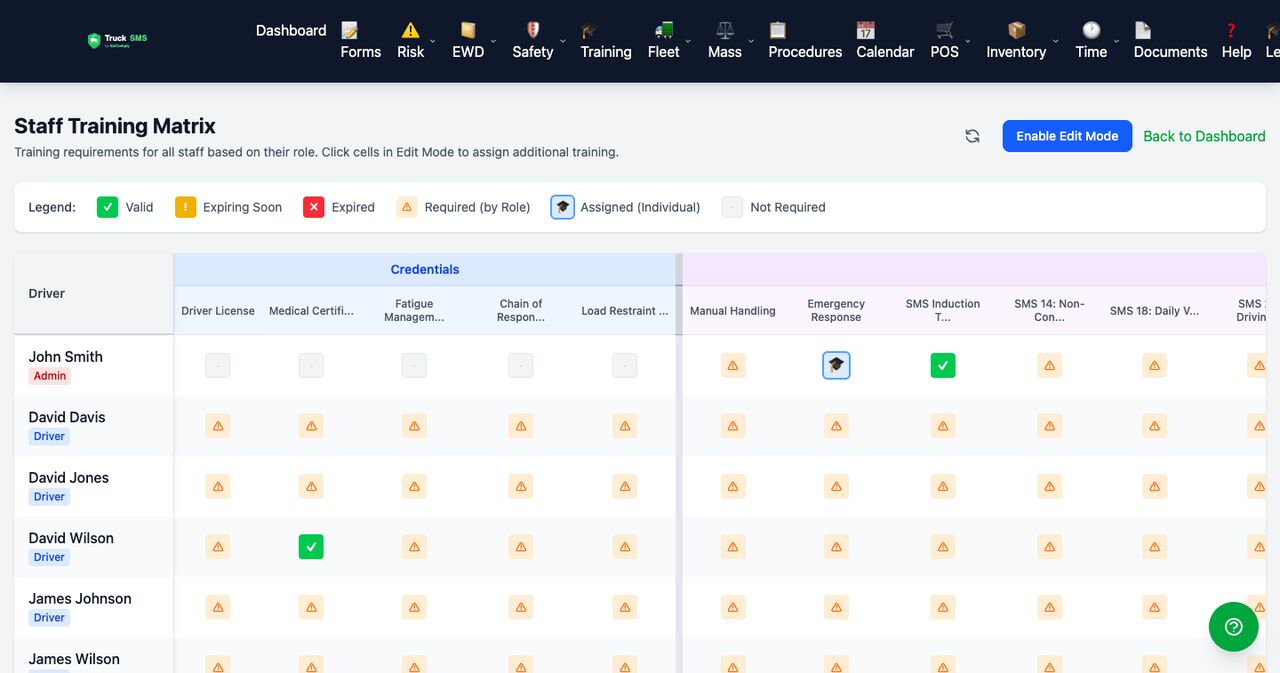
- Track manager and supervisor training against their roles in the training matrix.
What you can show an auditor
- A library of approved procedures, with the status of each one.
- Training records for the people who hold safety responsibilities.
Area 2
Risk management
Find the hazards in your operation, assess them, and record the controls you put in place.
What you do in Truck SMS
- Start from a library of hazards and controls for trucking tasks, then adjust it to your work.
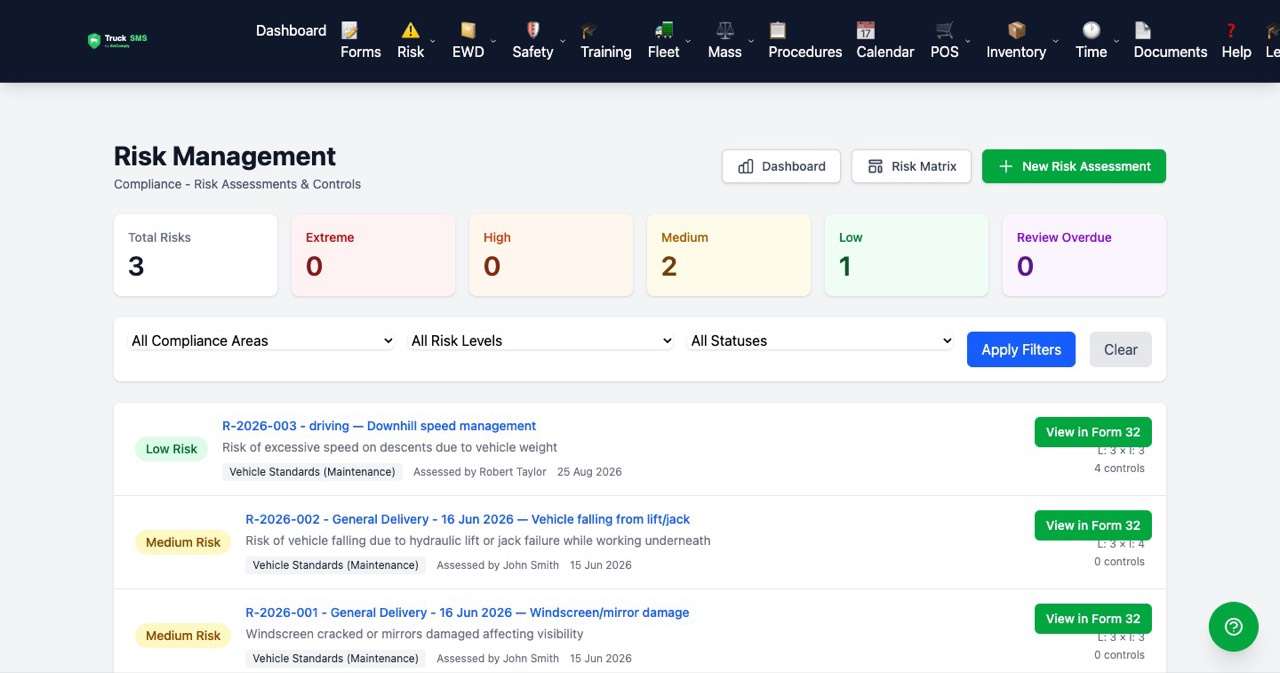
- Write a risk assessment for each task, with the controls recorded against each hazard.
- Use Take 5 assessments for quick checks before a job.
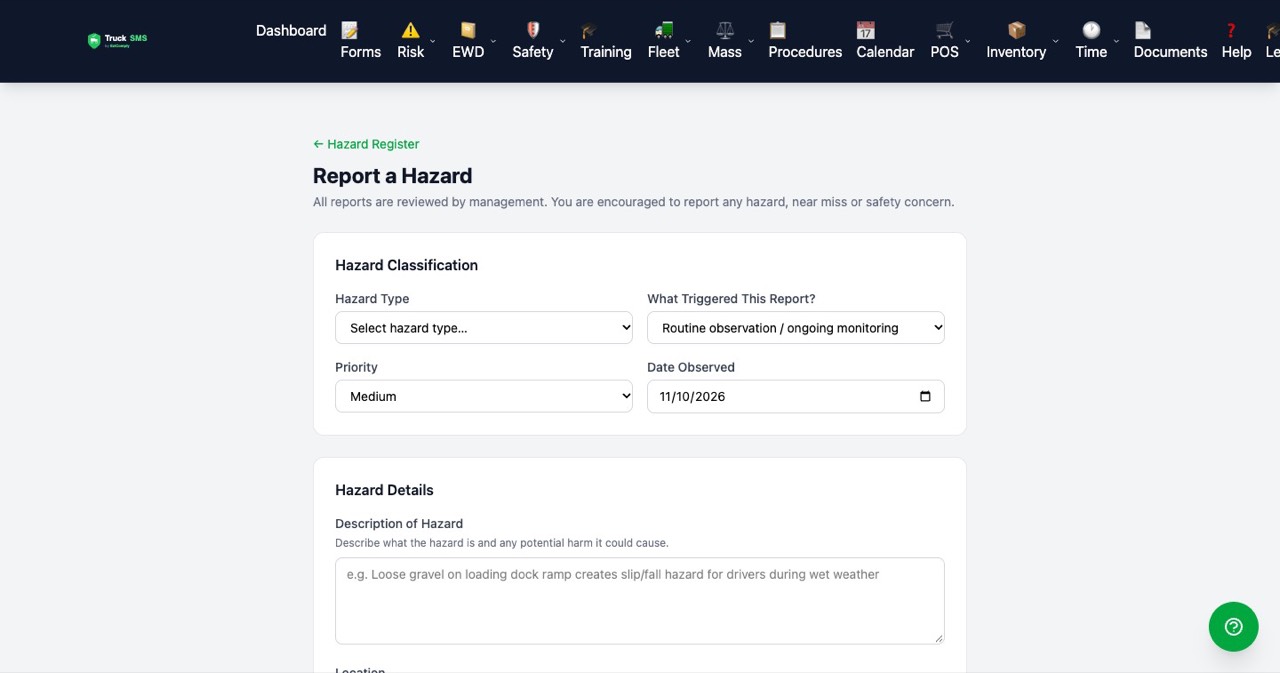
- Log hazard reports as people spot them on site.
What you can show an auditor
- Current risk assessments, with the controls and the risk level for each one.
- A record of hazards reported and what was done about them.
Area 3
People
Your people are trained, licensed and fit for the work they do, and you can show it.
What you do in Truck SMS
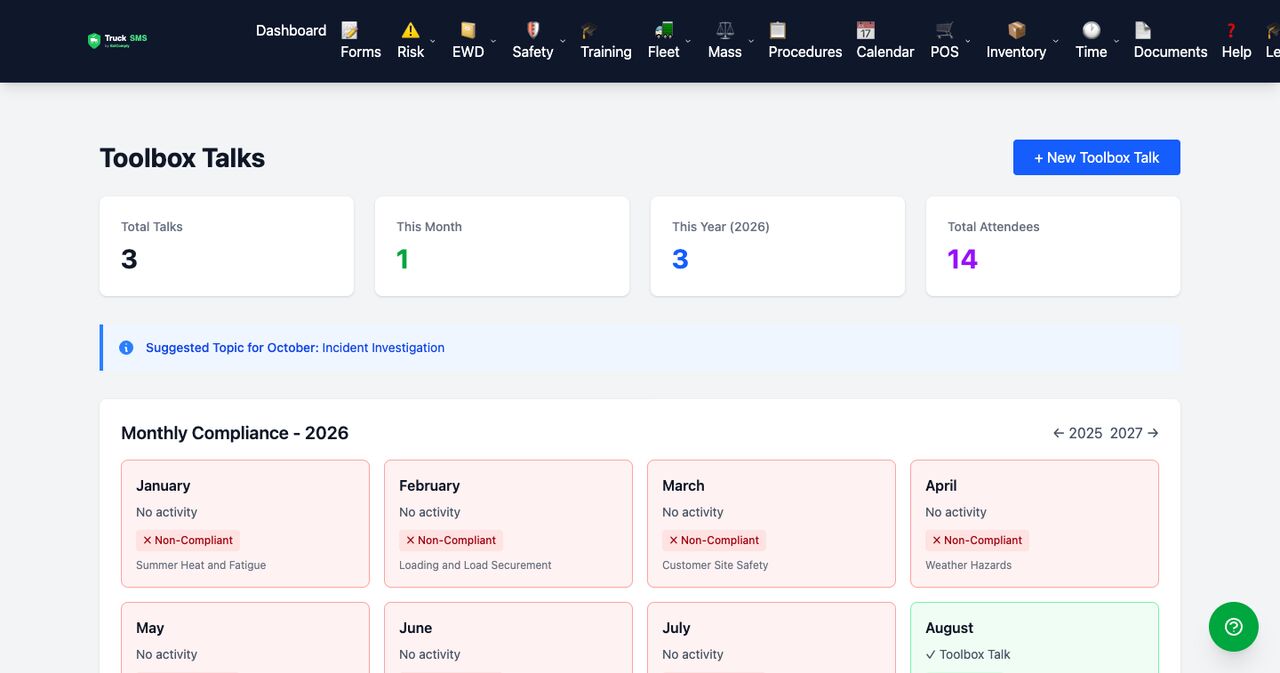
- Assign training modules by role and track who has completed them.
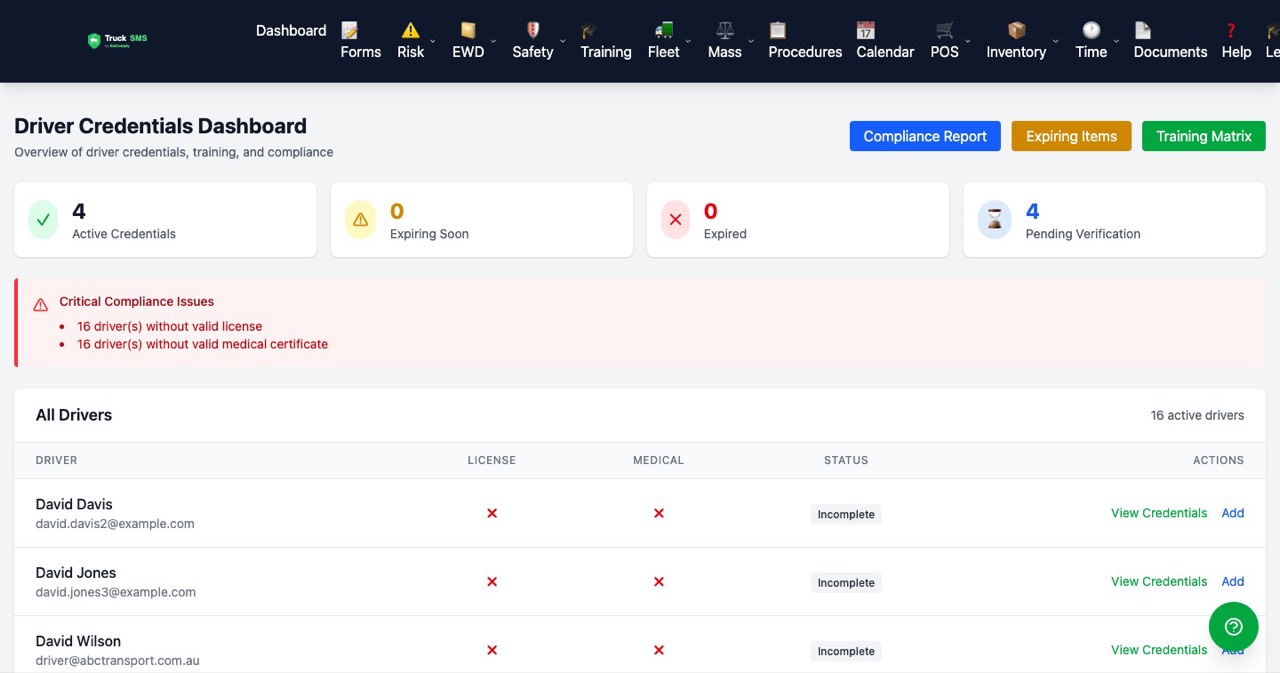
- Record each driver's licence and medical details, with expiring and expired items flagged.
- Keep fitness declarations and toolbox talk attendance in the same place.
What you can show an auditor
- A training matrix showing what each person has completed, and what is due.
- Licence and medical status for every driver, with the expiring and expired counts in view.
Area 4
Assurance, monitoring and improvement
You check that the system works, fix what doesn't, and feed what you learn back into the procedures.
What you do in Truck SMS
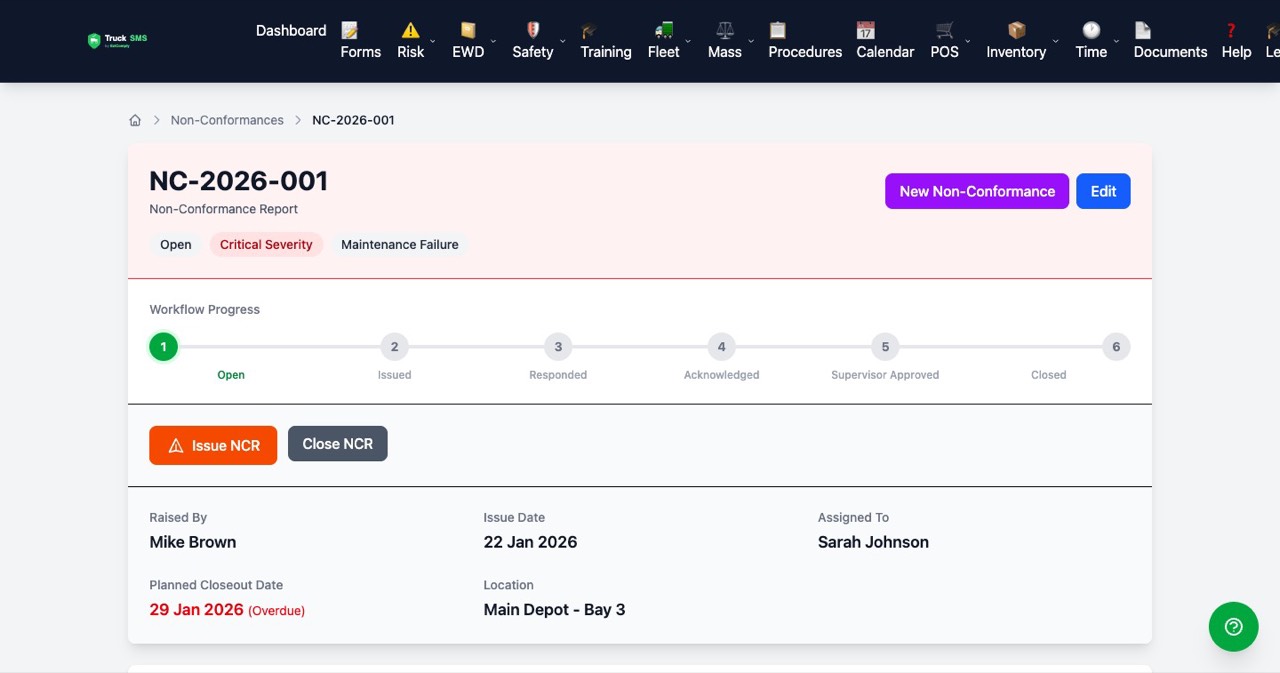
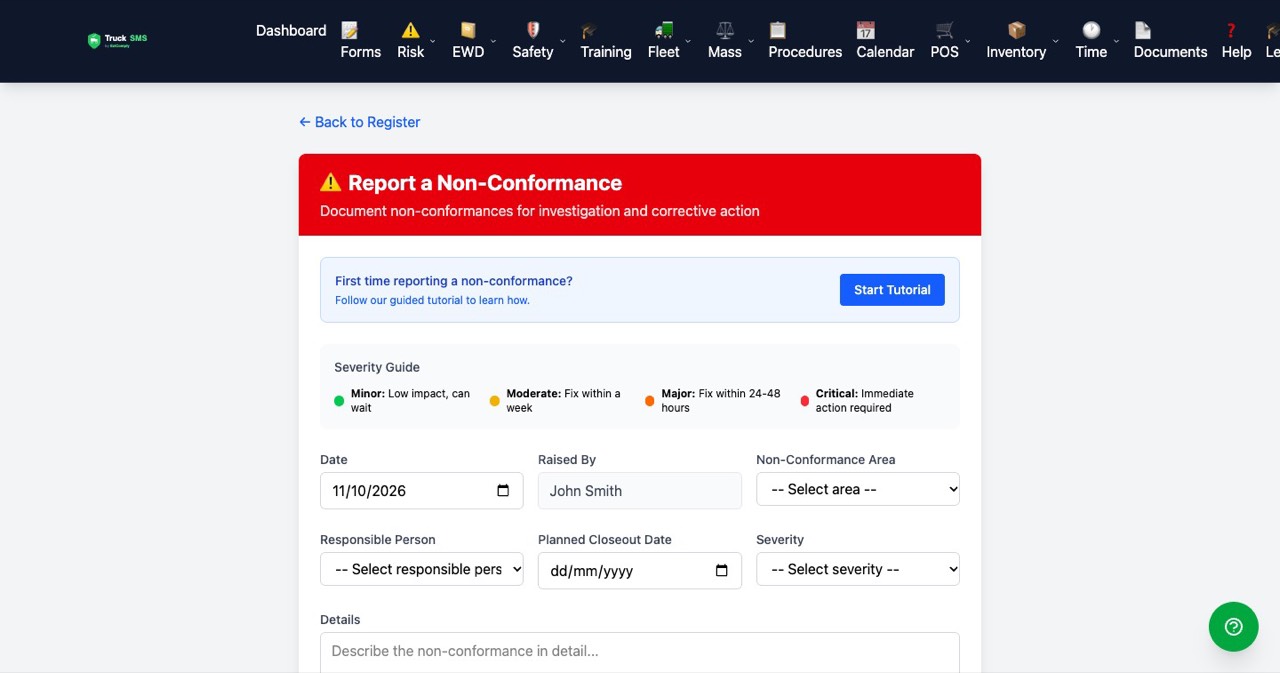
- Log non-conformances when something falls short, and assign corrective actions with owners and due dates.
- Run internal reviews and keep the actions they raise.
- Investigate incidents, with immediate actions and root cause analysis.
What you can show an auditor
- Each non-conformance with its corrective action, and whether it was closed.
- Evidence that reviews happen and that their actions are followed up.
Area 5
Safety systems
The day-to-day controls for vehicles, fatigue and mass, with the records that prove they run.
What you do in Truck SMS
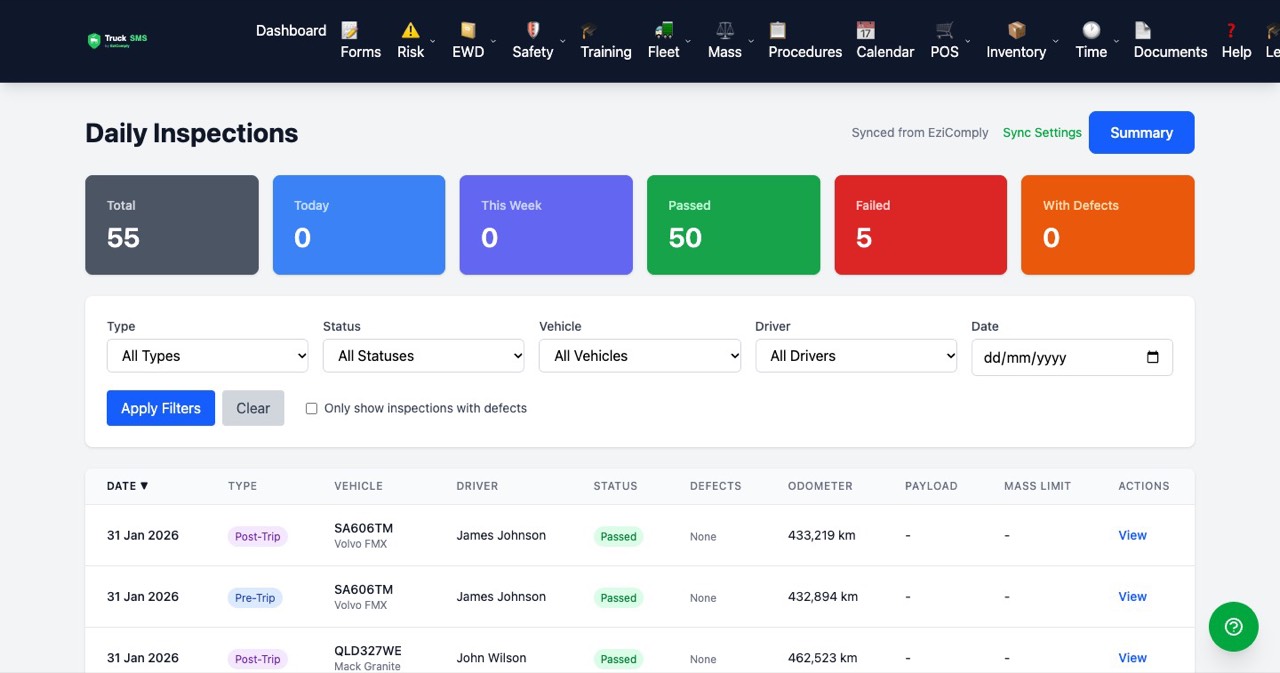
- Record pre-trip and post-trip vehicle inspections, and track any defects they find.
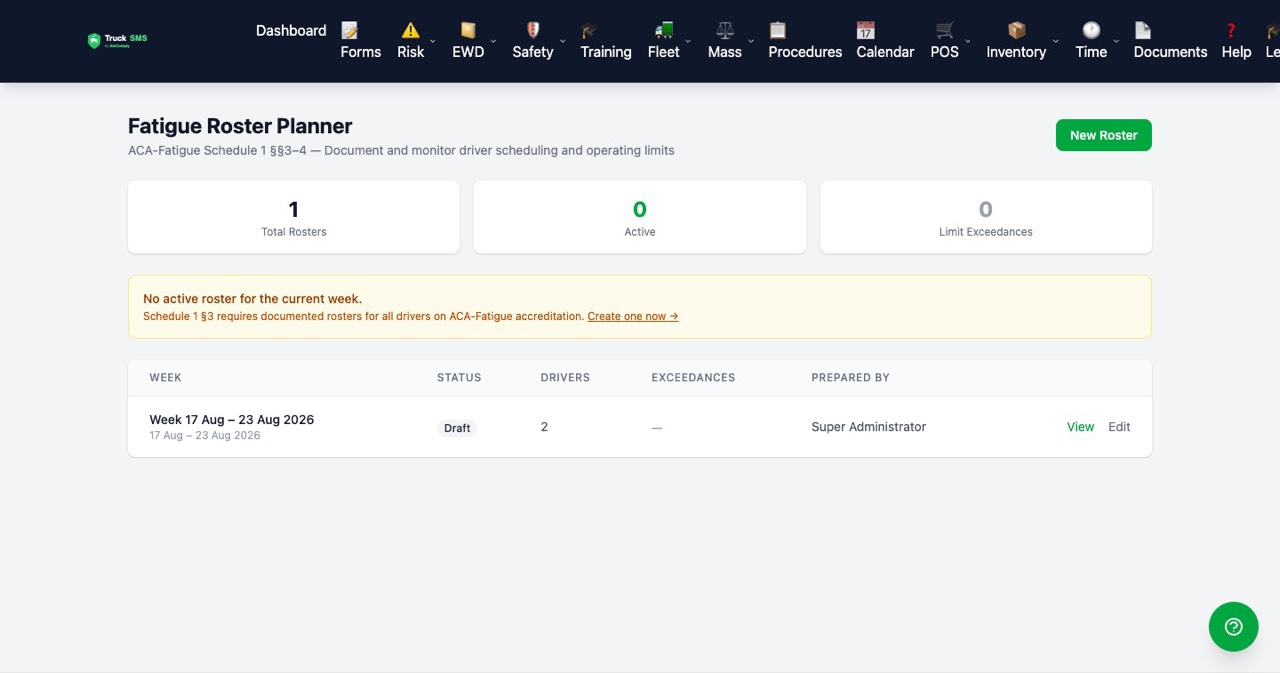
- Plan fatigue rosters and driver schedules.
- Keep vehicle records, including the configuration used for mass management.
What you can show an auditor
- Inspection records for each vehicle, and what happened to any defects.
- Rosters and schedules showing how driver hours were planned.
Ready to see it with your own fleet?
Start with the free gap check to see which areas have gaps. Then see what onboarding involves, including how your existing records come across.
Screens show demo data for a fictional company. Truck SMS does not replace your obligations under the HVNL or the SMS Standard 2026, and this page is general information, not legal advice.